Reset Site Settings
Overview
There are times while developing new features and testing the app that we need to reset our site configuration settings so we’re able to re-access the first-time user experience. This could be for the Onboarding Wizard or Help Guide Tooltips. Please follow the steps below should you need to do this.
Step 1
We first need to retrieve our site ID from the app console by doing the following:
- Open your code inspector
- Select “Application”
- Select “Local storage” for the site from the left panel
- The value of
lakdnHRSSis your site ID, we will use this in a later step - The value of
lakdnHRis your session token, we will also use this in a later step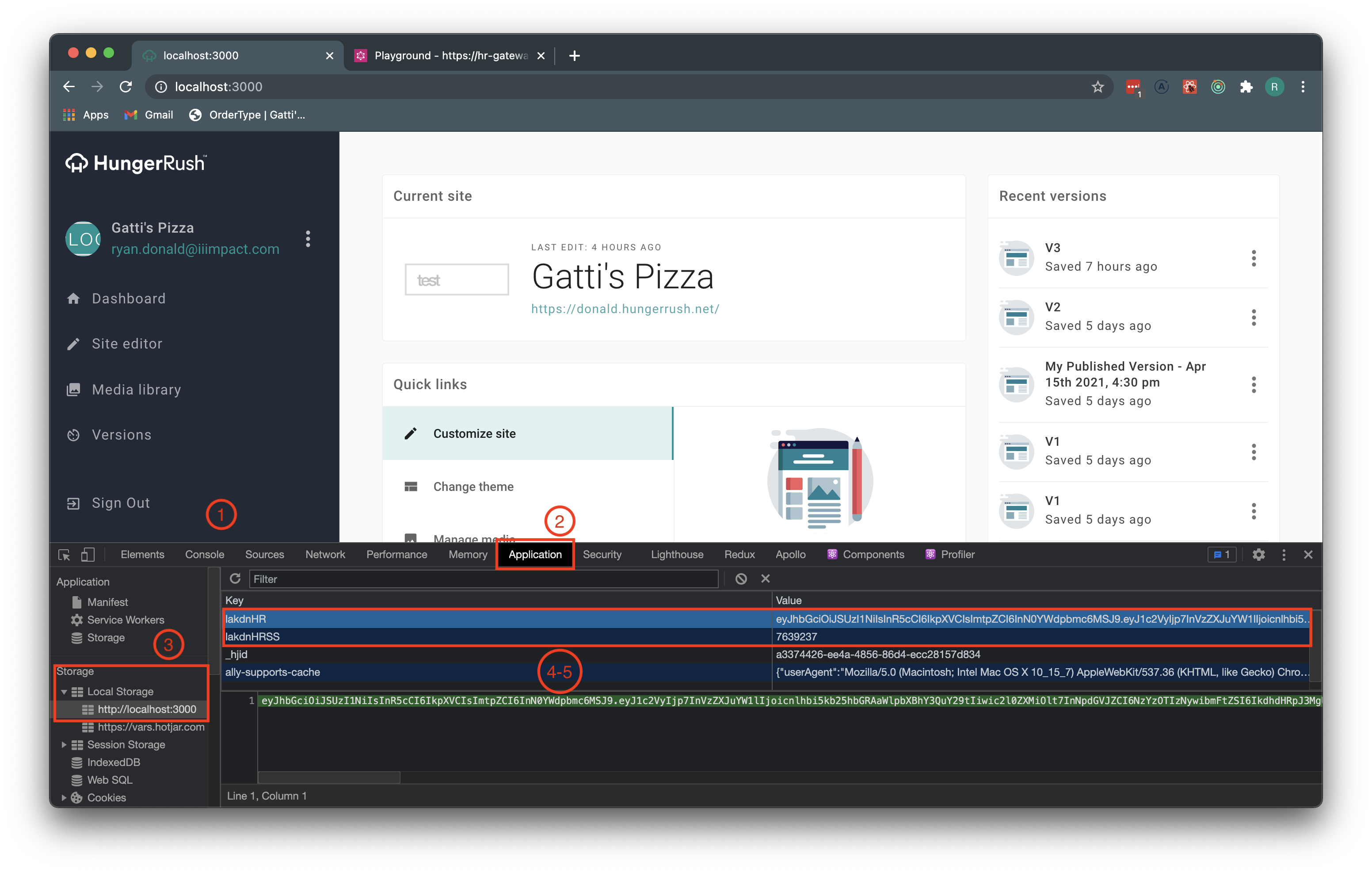
Step 2
Go to GraphQL Staging Gateway
Step 3
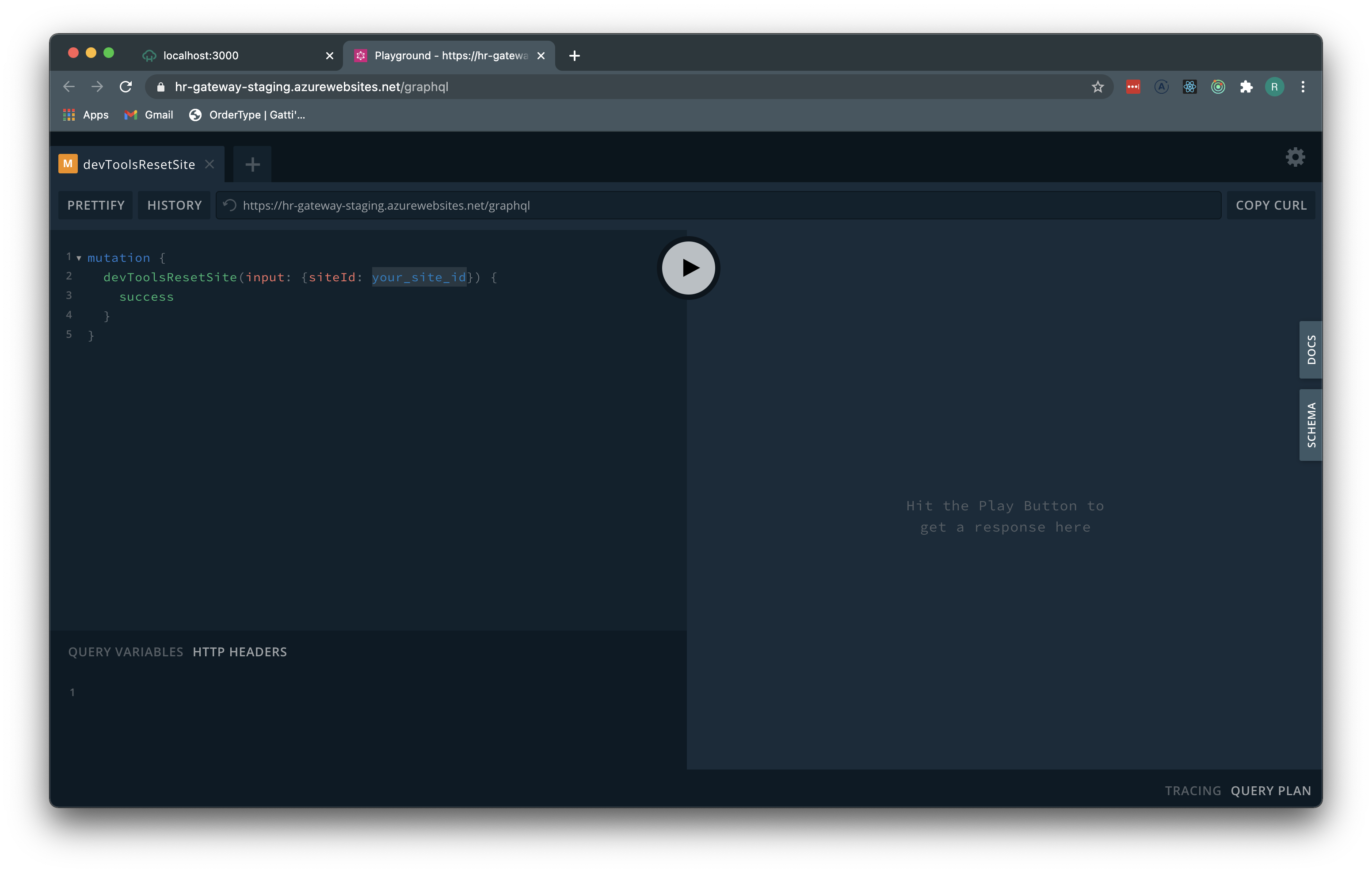
- Paste the below snippet in the block on the top left as indicated in the below screenshot:
mutation {
  devToolsResetSite(input: {siteId: your_site_id}) {
    success
  }
}
- From step 1.4 copy and paste your site ID in place of “your_site_id” in the snippet.
Step 4
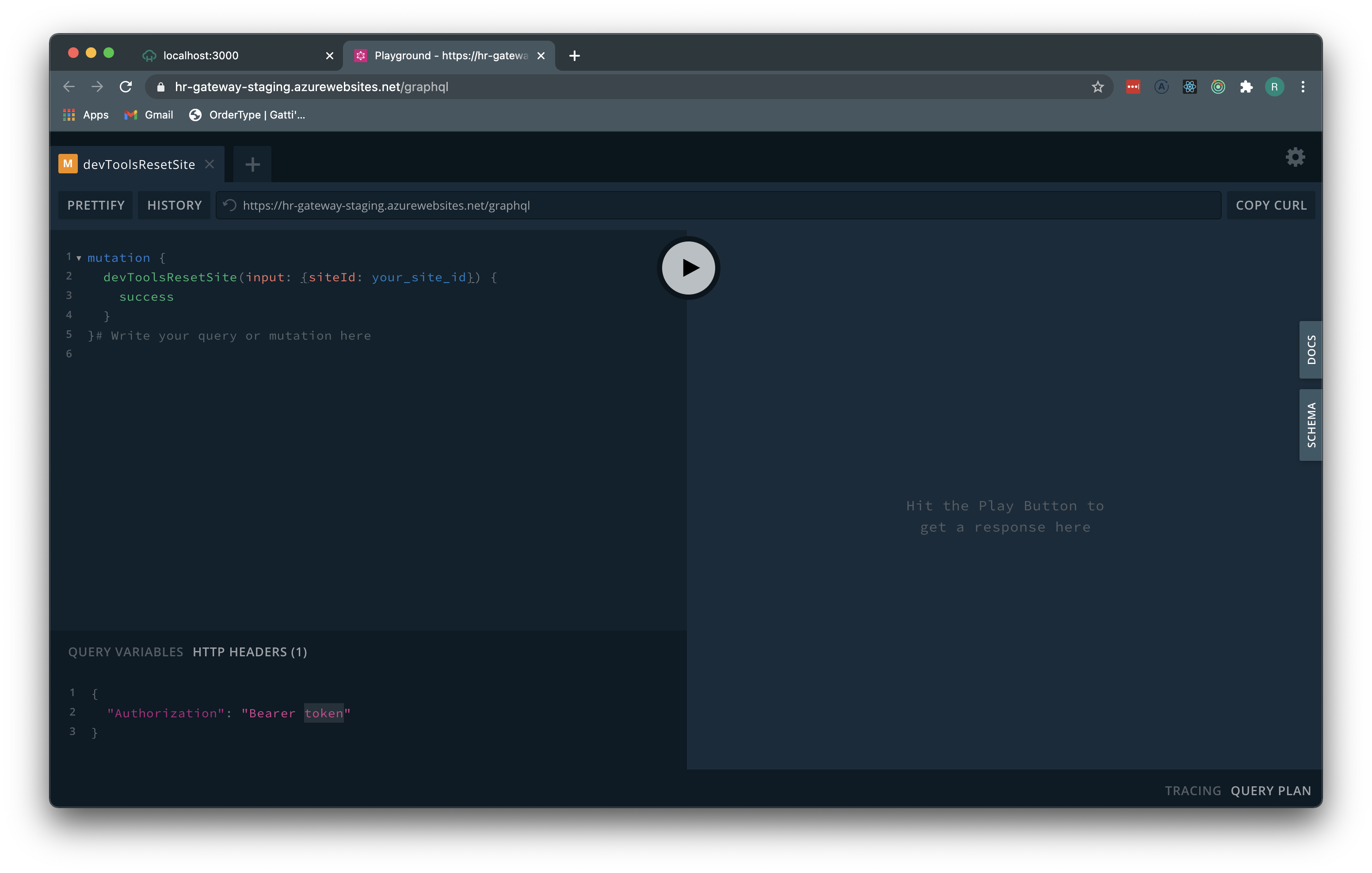
- Paste the below snippet in the block on the bottom left (HTTP Headers tab) as indicated in the below screenshot:
{
  "Authorization": "Bearer token"
}
- From step 1.5 copy and paste your session token in place of “token” in the snippet.
Step 5
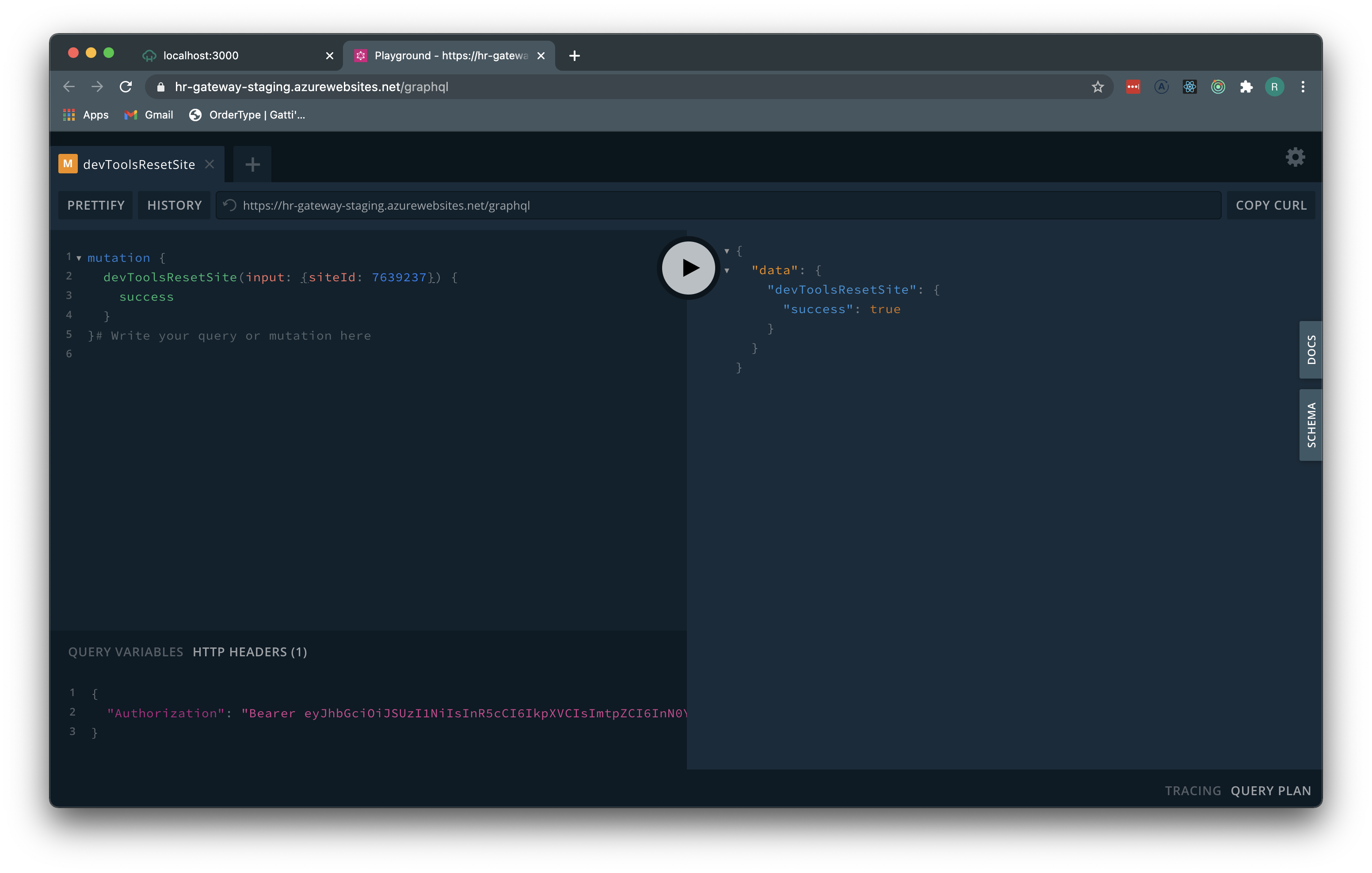
Click the “Play” button to run the mutation and reset your user. You should see the success response in the block on the right as indicated in the screenshot.
Step 6
Once the above has been successfully completed, you will need to log out of the app and log back in for the “first-time” user experience!